Wizzie Data Platform (WDP) AMI
Working with WDP
Sending data
You can send data to WDP using the HTTP Data endpoint. Check endpoints to know how to obtain its hostname.
The way to send this data (in JSON format) is using HTTP Post messages to a specified URL. This URL has the following format:
http://<HTTP_DATA_ENDPOINT>/v1/data/<TOPIC>?apikey=<API_KEY>
where:
- HTTP_DATA_ENDPOINT: endpoint where send JSON data.
- TOPIC: Kafka topic where receive messages. Must be created before start sending.
- API_KEY: autentication key for your organization. Check Creating an organization section to see how to obtain it.
But first, we need to create a topic to store messages before indexing them.
Creating a topic
To create the topic we will use batuta configuration service. By default, this service doesn’t
have a Load Balancer, so we have to send HTTP request using a kubectl port-forward command.
To do that, you have to connect to instance via SSH, login as root and execute the following command:
kubectl port-forward svc/batuta-svc 8080
Now, you can access to batuta service from this instance using the endpoint localhost:8080. If you want to access to this endpoint
from your computer, you also can connect via ssh using this command:
ssh -i example.pem -L 8080:localhost:8080 ec2-user@<INSTANCE_IP>
If you connect from your computer to localhost:8080 using your navigator, you can access to Swagger documentation for batuta API.
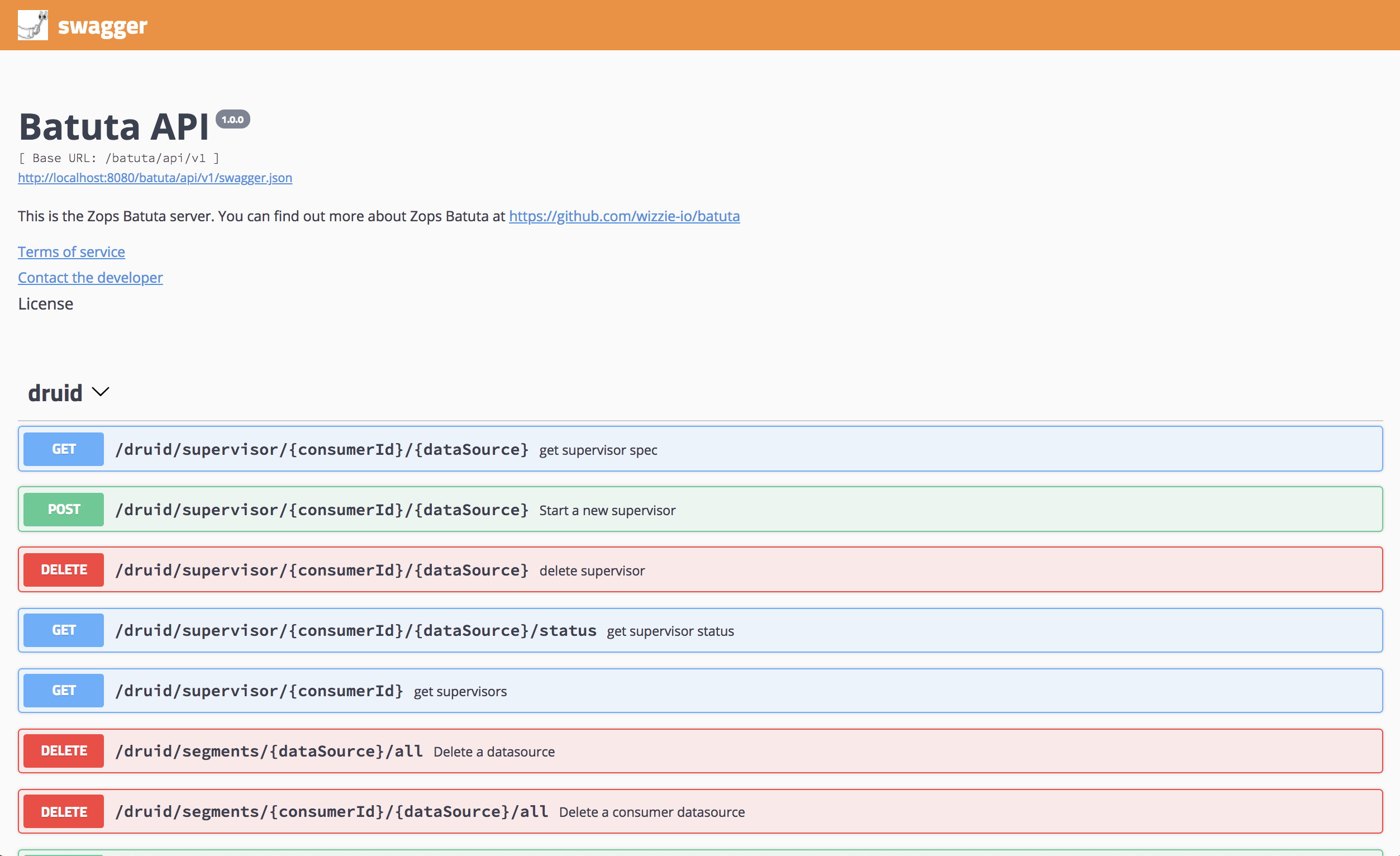
Let’s create the topic. We need the consumer.id that you can get it from Wizz-in. The following command creates a new topic test with 1 partition and 1 replica.
curl -X POST "http://<BATUTA_ENDPOINT>/batuta/api/v1/kafka/<consumer.id>/topics" -H "accept: application/json" -H "Content-Type: application/json" -d "[ { \"name\": \"test\", \"partitions\": 1, \"replicas\": 1, \"config\": { } }]"
Indexing data
After that, we need to start a indexing task that allows consuming data from test topic and store them inside <consumer.id>_test datasource.
curl -X POST "http://<BATUTA_ENDPOINT>/batuta/api/v1/druid/supervisor/<consumer.id>/test" -H "accept: application/json" -H "Content-Type: application/json" -d "{ \"dimensions\": [ \"sensor\", \"metric\" ], \"metrics\": [ { \"type\":\"count\", \"name\":\"messages\" }, { \"type\":\"doubleSum\", \"fieldName\":\"value\", \"name\":\"sumValue\" } ], \"queryGranularity\": \"MINUTE\", \"kafkaTopic\": \"test\", \"config\": { \"kafka\": { \"resetOffsetAutomatically\": true, \"useEarliestOffset\": false, \"skipOffsetGaps\": true }, \"rejectPeriod\": { \"lateMessageRejectionPeriod\": \"P7D\", \"earlyMessageRejectionPeriod\": \"P1D\" } }, \"taskCount\": 1, \"taskReplicas\": 1, \"context\": {}}"
This datasource has 2 dimensions and 2 metrics:
- Dimensions :
sensor&metric - Metrics :
messages&sumValue
Now, we can send some data:
curl -X POST  http://<HTTP_DATA_ENDPOINT>/v1/data/test?apikey=<API_KEY> -H "accept: application/json" -H "Content-Type: application/json" -d "{ \"timestamp\": 1545046997, \"sensor\": \"12345\", \"metric\":\"cpu\", \"value\":0.5 }"

curl -X POST  http://<HTTP_DATA_ENDPOINT>/v1/data/test?apikey=<API_KEY> -H "accept: application/json" -H "Content-Type: application/json" -d "{ \"timestamp\": 1545046997, \"sensor\": \"12345\", \"metric\":\"temperature\", \"value\":35 }"

curl -X POST  http://<HTTP_DATA_ENDPOINT>/v1/data/test?apikey=<API_KEY> -H "accept: application/json" -H "Content-Type: application/json" -d "{ \"timestamp\": 1545046997, \"sensor\": \"ABCDFE\", \"metric\":\"tx-interface\", \"value\":15000 }"
Viewing your data
Finally, we can make a dashboard to query the data using Wizz-Vis. You can create it with the following command, that includes a Widget Table with data send before. You will need the WIZZ_VIS_ENDPOINT (Check endpoints to see how to obtain it).
curl -X POST "http://<WIZZ_VIS_ENDPOINT>/api/v1/dashboards" -H "accept: application/json" -H "Content-Type: application/json" -d "{ \"name\": \"Test WDP AMI\", \"theme\": \"light\", \"interval\": 30, \"locked\": false, \"range\": \"last_1_hour\", \"start_time\": \"\", \"end_time\": \"\", \"widgets\": [ { \"type\": \"WidgetTable\", \"title\": \"Test Widget\", \"row\": 0, \"col\": 0, \"size_x\": 4, \"size_y\": 4, \"range\": null, \"granularity\": \"all\", \"start_time\": null, \"end_time\": null, \"limit\": 100, \"options\": {\"metrics\":[\"average_value\"]}, \"datasource_name\": \"<consumer.id>_test\", \"dimensions\": [\"sensor\", \"metric\"], \"aggregators\": [ { \"aggregator\": \"messages\", \"aggregator_name\": \"messages\", \"filters\": [] }, { \"aggregator\": \"sumValue\", \"aggregator_name\": \"sumValue\", \"filters\": [] } ], \"post_aggregators\": [ { \"output_name\": \"average_value\", \"operator\": \"/\", \"field_1\": \"sumValue\", \"field_2\": \"messages\" } ] } ]}"
